Custom Gridfinity Drawer Organizers for Heavy Milling Cutters
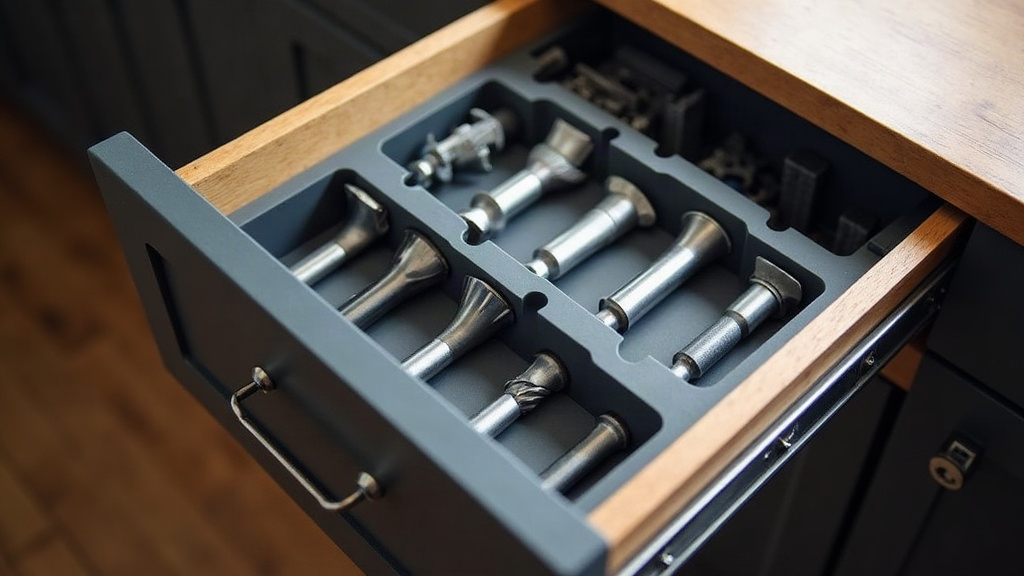
Why Standard Gridfinity Bins Fall Short for Milling Cutters
Gridfinity has turned into the default modular storage system for workshops everywhere, and for good reason. But here’s the catch: most printed bins out there were built with screwdrivers and fasteners in mind, not a two-pound shell mill sitting on a two-inch base. Heavy machinist tooling asks a lot more of a bin than a drawer full of allen keys ever will.
A few specific problems show up again and again:
- Concentrated weight: A 3-inch shell mill or insert face mill can easily top a pound, and all of that mass rests on a tiny footprint. That’s a lot of pressure on a thin plastic floor.
- Sharp cutting edges: Carbide inserts and flutes will chew through thin-walled PLA or PETG over time, even if you’re careful loading and unloading them.
- Vibration in rolling toolboxes: Friction fits and standard baseplate magnets just aren’t enough once the drawer starts rattling down the shop floor on casters.
- Tall, top-heavy profiles: Long end mills or arbor-mounted cutters will tip right over if the base isn’t reinforced to handle that height-to-footprint ratio.
Sound familiar? If you’ve ever pulled open a toolbox drawer and found a cracked bin wall, or a cutter that’s wandered three slots over from where you left it, you already know exactly what this guide is about.
Key Design Principles for Reinforced Gridfinity Bins
1. Increase Wall Thickness and Infill
For cutter-grade bins, don’t settle for the typical lightweight spec. Push wall thickness to 2.4-3.2mm (that’s 6-8 perimeters on a 0.4mm nozzle) and bump infill up to 25-40%, well above the 15% most Gridfinity bins ship with. Gyroid or cubic infill patterns handle the compressive load of a heavy cutter noticeably better than a basic grid pattern, which tends to collapse under sustained point pressure.
2. Use Tougher Filament
PLA is great for prototyping, but it’s brittle, and brittle doesn’t survive repeated impact from steel and carbide. For cutter organizers, consider:
- PETG - decent impact resistance, with just enough flex to absorb shock instead of cracking
- ABS/ASA - better heat tolerance, worth it if your drawer sits near a shop heater or a window that bakes in the afternoon sun
- Nylon or PETG-CF - the move for drawers that get opened and slammed shut all day, every day
3. Design Cutter-Specific Cavities
Measure each cutter, shank diameter and flute length, and don’t eyeball it. Model holes with 0.2-0.3mm clearance: tight enough that nothing rattles around, loose enough that you’re not fighting to pull a cutter out one-handed. For insert cutters with wider bodies, skip the simple cylindrical hole and build a stepped pocket that actually cradles the shoulder, not just the shank underneath it.
4. Reinforce the Base Connection
Stock baseplate magnets do fine for a bin of zip ties. Heavy cutter trays need more:
- Thicker magnet pockets, with 6x2mm magnets press-fit and glued, not just pressed in and hoping for the best
- A full-contact base skirt in place of the default spaced “feet,” spreading the weight instead of concentrating it on four small points
- M3 screw-down points into the baseplate as an option, especially worthwhile for mobile toolboxes or benches sitting near a press that shakes the whole drawer
Step-by-Step: Building Your Custom Layout
- Inventory your cutters. Write down diameter, shank type, overall length, and weight for every single tool going into this drawer.
- Group by size class. Roughing end mills in one zone, finishing end mills in another, face/shell mills together, specialty cutters (chamfer, thread mills) off to the side. Logical zones save you time later.
- Model in a Gridfinity-compatible tool. Fusion 360 with the Gridfinity add-in works well, or try a parametric generator like gridfinity-rebuilt-openscad if you want to iterate fast without redrawing geometry each time.
- Oversize cavity depth by 3-5mm past the actual cutter length. That extra room covers print tolerance and gives your fingers something to grab onto when pulling a cutter free.
- Print a test bin first. Seriously, don’t skip this. Check the cavity fit against your real cutters before you commit filament and hours to a whole drawer’s worth of bins.
- Label each bin. Emboss or engrave the diameter and flute count directly into the model. A label printed in a contrasting color (multi-material or a quick paint-fill) will outlast a sticker exposed to coolant and oil by a mile.
Handling Oil, Coolant, and Chips
Let’s be honest, machinist drawers get filthy. Design around that reality:
- Drain slots in the cavity floor so coolant doesn’t pool around the cutter tip and start corrosion
- Rounded internal corners you can actually wipe clean with a rag, instead of square corners that trap grime
- Removable bins, not glued down to the baseplate, so a full drawer cleaning doesn’t mean tearing apart your whole layout
Common Mistakes to Avoid
- Skipping weight testing - always load a bin with its heaviest intended cutter before you print five more copies of the same design.
- Ignoring insert overhang - face mills with replaceable inserts often cut a wider diameter than the body itself suggests. Account for that in your cavity width, or the bin simply won’t work.
- Using default thin walls - the 0.4-0.8mm shell that’s fine for pens and screws will crack under the sustained weight of carbide tooling. It’s not a matter of if, just when.
- Forgetting drawer height - a tall shell mill or an extended-reach end mill might not clear the drawer slide or the unit sitting above it. Measure your actual clearance before you model anything.
Conclusion
Honestly, it comes down to three things: smarter structural design (thicker walls, better infill, a reinforced base), cavity dimensions matched precisely to your actual tooling, and a filament choice that can survive daily shop abuse. Print one test bin, beat it up with your heaviest cutter, then scale the design once you trust it across the whole drawer. The extra hour spent modeling pays for itself every single time you reach into that drawer and find exactly the cutter you need, right where you left it, secure, labeled, and ready to chuck up and run.