Fine-Tuning Top Surface Flow for Flawless Ironing on Nameplates
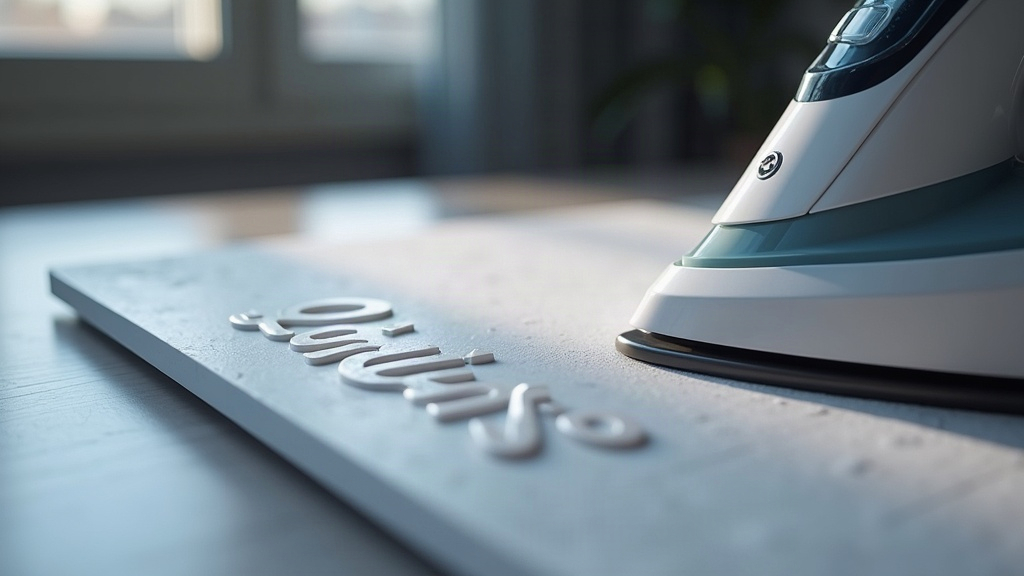
Flat desk nameplates look like an easy print. They’re not. In fact, they’re one of the trickiest objects to finish cleanly, because every little flaw on a large, uninterrupted top surface jumps out the moment it sits under office lighting. The secret to a glass-smooth ironed finish usually comes down to one variable people ignore: top surface flow rate during ironing. Nail it and you get a glossy, even plate that looks almost injection-molded. Miss it and you’re staring at streaks, pinholes, or raised blobs on what was otherwise a clean print.
Why Ironing Flow Rate Matters So Much on Nameplates
Ironing works by running the hotend back over the already-printed top layer, with the nozzle barely grazing the plastic, smoothing out the ridges left behind by the print path. It’s not laying down a new layer the way normal printing does. Instead, it extrudes a thin, controlled bead that fills the tiny gaps between the previous top layer’s lines.
On a small part, say a 20mm cube, minor flow errors barely register because there’s so little surface area to show them off. But put that same error on a large flat nameplate, 150mm x 50mm or bigger, and it gets magnified across a huge visible plane. Worse, the errors compound as the iron passes back and forth:
- Too much flow → excess plastic pools into shiny blobs or wavy ridges, especially at direction changes where the nozzle slows down.
- Too little flow → the iron pass can’t fill the gaps between top layer extrusions, leaving dull streaks or pinholes that catch light differently than the rest of the plate.
Finding the Right Starting Point
Most slicers (PrusaSlicer, Orca Slicer, Cura) express ironing flow as a percentage of normal flow, usually defaulting somewhere between 10 and 15%. For a large flat nameplate, that default is often wrong in one direction or the other, depending on your top layer line width and nozzle size.
A reliable starting formula:
Ironing Flow % = (Nozzle Diameter / Ironing Line Spacing) × base factor
In practice, most people land on good results starting at:
- 0.4mm nozzle: 10-12% ironing flow, 0.1mm ironing spacing
- 0.6mm nozzle: 14-18% ironing flow, 0.12-0.15mm ironing spacing
- 0.2mm nozzle (fine detail plates): 6-8% ironing flow, 0.08mm ironing spacing
These numbers only hold up if your extruder is actually calibrated (correct E-steps) and your filament has a known, accurate flow ratio. If your base flow is off by even 3-5%, ironing won’t fix that, it’ll amplify it.
Step-by-Step Calibration for Flat Nameplates
- Print a flat test tile the same size as your real nameplate. Don’t test on a tiny cube, surface defects simply don’t scale linearly.
- Start at 10% ironing flow with “ironing type” set to “Top surfaces only.”
- Inspect under raking light. A desk lamp held at a low angle works great, it reveals streaks that are completely invisible under direct overhead light.
- Increase in 2% increments if you spot dull lines or pinholes between passes.
- Decrease in 2% increments if you spot raised, shiny ridges or blobbing at corners and text edges.
- Lock in the value once two consecutive test tiles print identically. Consistency across prints matters a lot more than chasing one “perfect” tile.
Other Settings That Interact With Flow Rate
Ironing flow never works in isolation. A handful of other settings shift what the ideal percentage actually is:
- Top solid layers: 4-5 solid layers under the ironed surface prevent show-through gaps that no amount of flow tuning will ever fix.
- Ironing speed: Slower speeds (10-15mm/s) give lower flow rates time to fill gaps properly. Faster ironing passes need more flow to make up for the reduced dwell time.
- Nozzle temperature: Running 5-10°C hotter during ironing only (via a temperature tower or a per-feature override) improves flow and leveling without having to push the flow percentage as high.
- Bed leveling: No amount of flow tuning fixes a top surface with uneven height. Mesh bed leveling, or a properly trammed first layer, is a prerequisite, not optional.
Common Mistakes to Avoid
- Ironing over infill that’s too sparse. If the top layers sag into the gaps below, ironing just polishes a surface that’s already wavy underneath.
- Reusing the same flow rate across different nozzle diameters. Always recalibrate when you swap nozzles, even going from 0.4mm to 0.6mm changes everything.
- Skipping the raking-light inspection. Plenty of defects are invisible from directly above and only show up at an angle.
- Ignoring filament brand or material changes. PLA, PETG, and ABS all behave differently under ironing. PETG in particular needs lower flow or you’ll end up with stringy blobbing.
Conclusion
Getting flawless ironing on a large flat desk nameplate isn’t about finding one magic number. It’s a methodical process: dial in flow rate alongside layer count, speed, and temperature for your specific nozzle and filament combo. Start around 10% flow, test it on a full-size tile (not a tiny sample), check it under angled light, and nudge the value up or down in small steps. Once you’ve found it, that setting becomes a baseline you can reuse for every nameplate, sign, or flat-top model you print from then on.