Low-Profile Under-Desk Cable Management Trays That Won't Snap
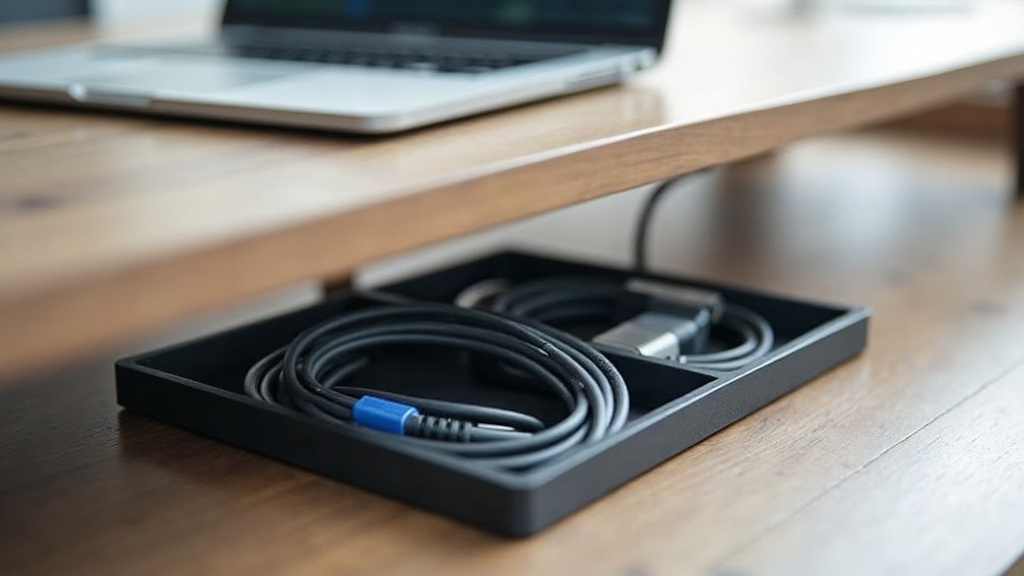
A low-profile under-desk cable tray sounds like a simple purchase. Keep the cords off the floor, keep your knees free, done. Except most cheap trays crack, bow, or rip clean out of the wall within a few months of daily use. The real fix isn’t buying a “better looking” one. It’s understanding why they fail in the first place, which is almost always tension at the mounting points, not sagging in the middle like people assume, and then picking a design, material, and mounting method that spreads that load the right way.
Why Most Cable Trays Snap
Bundle six to ten cables together, throw in a heavy laptop charger cord or a monitor cable with one of those stiff, oversized connectors, and the tray isn’t just sitting there holding weight anymore. It’s absorbing constant downward pull every time you shift your desk, raise or lower a standing desk, or clip a dangling cord with your foot without noticing. Three failure points show up over and over:
- Thin center span with no reinforcement. A tray supported only at the two ends will bow in the middle eventually, especially if it’s plastic or thin stamped metal.
- Screw-only mounts into MDF or particleboard. Most desks aren’t solid wood, they’re composite board underneath a veneer. Screws driven into that material strip out fast under repeated stress.
- Snap-fit clips instead of real fasteners. Clip-on trays look tidy in the box, but they rely on plastic tension that fatigues over time, especially with temperature swings and constant weight cycling.
Materials That Actually Hold Up
If you’re buying one (or building your own), rank materials in this order:
- Powder-coated steel mesh flexes a little under load instead of cracking outright, and the open mesh design helps a power brick stay cooler if you’re routing one through it.
- Aluminum extrusion with a folded lip is lighter than steel but still rigid, as long as the profile has that folded edge. A flat sheet on its own will oil-can and sag within weeks.
- Reinforced ABS with metal insert brackets works fine for light loads, think a couple of charging cables, but skip it for power strips or docking station bricks.
Steer clear of unreinforced acrylic and thin bent aluminum under 1.2mm. Both photograph beautifully for a product listing and both warp within a year under standing-desk vibration.
Getting the Low-Profile Depth Right
“Low-profile” generally means under 2 inches (about 5cm) of clearance under the desk. To hit that number without giving up strength:
- Go with a shallow U-channel rather than a fully boxed tray. It keeps material thickness down while still resisting twisting.
- Angle the side walls out slightly, somewhere around 5 to 8 degrees, so you can add or pull a cable without wrestling it through a tight slot.
- Match tray width to your actual cable count. A 24-inch tray handles 8 to 10 cables comfortably; cram in more than that and you’ll get lateral bulging at the seams.
Mounting: The Part Everyone Gets Wrong
Here’s the thing nobody expects: the tray itself is rarely the first thing to fail. The mount is. A few rules that actually matter for the long run:
- Use a clamp-style mount whenever you can. Clamping onto the desk edge spreads force across a much wider surface than a couple of screws driven into the underside.
- If screwing in is your only option, use at least 4 mounting points spaced along the tray’s length, not just two stuck in the corners.
- On standing desks, mount the tray closer to the front edge instead of dead center, so the slack in your cables absorbs the height changes instead of yanking on the tray itself.
- Slip rubber or felt washers between metal trays and the desk surface. It cuts down vibration fatigue at the fastener points, and that fatigue is the number one cause of the hairline cracks you see in composite trays after a year or two.
Sizing for Your Actual Setup
Before you buy anything, count your cables and figure out the weight of your heaviest item (usually a power brick or a docking station). Rough guide:
- Light setup (laptop + 2 cords): a 12–16 inch tray works, plastic or thin aluminum is fine here.
- Standard desk (monitor, dock, charger, mouse/keyboard receivers): go with a 24-inch steel mesh tray rated for at least 5 lbs.
- Multi-monitor or gaming setup: 30+ inches, steel with a folded lip, mounted at 4 or more points.
Quick Durability Checklist
- Press the center of the tray with moderate hand pressure. Does it flex more than a couple millimeters?
- Are the mounting points actually reinforced, or just raw screw holes punched into thin material?
- Does the listing give an actual weight rating, or does it conveniently leave that out?
- Is there any lip or fold along the edges to stop side bowing?
If a listing can’t give you a straight answer on any of these, assume the tray is decorative, not functional, and shop elsewhere.
Conclusion
Surviving daily use has nothing to do with how minimal a cable tray looks on your desk. It comes down to matching material stiffness, mount points, and depth to the real tension your cables are putting on it every single day. Pick folded steel or reinforced aluminum over flat plastic, mount it with four points or a proper clamp, and size it to how many cables you actually have rather than whatever’s cheapest on the shelf. Nail those three things and your under-desk setup stays quiet, tidy, and snap-free for years, not months.