How to Prevent TPU Filament Jams in Bowden Extruders
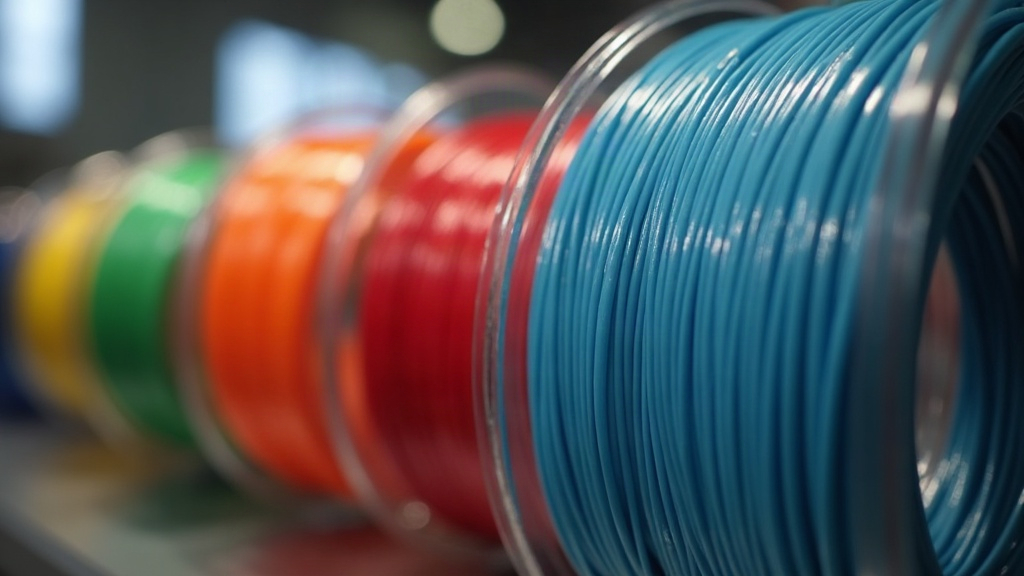
Printing flexible materials like TPU (Thermoplastic Polyurethane) opens up a world of possibilities for functional 3D prints, from custom gaskets to impact-resistant phone cases. But figuring out how to prevent TPU filament jams in Bowden extruders is basically a rite of passage for most makers who try it. Unlike direct drive systems, Bowden setups push the filament through a long PTFE tube before it ever reaches the hotend. That distance gives flexible filament plenty of room to bend, buckle, and jam right at the extruder gears. The good news: with the right slicer settings and a few small hardware tweaks, you can get clean, reliable TPU prints out of pretty much any Bowden machine.
Why Does TPU Jam in Bowden Setups?
Before jumping into fixes, it helps to know what’s actually going wrong. Picture pushing a wet noodle through a long drinking straw. If there’s resistance at the far end, or a gap before the noodle even enters the straw, it folds in on itself instead of moving forward.
Same idea in a printer. The extruder gears push the soft, rubbery TPU forward, and if there’s too much gap between the driving gear and where the Bowden tube starts, the filament has nowhere to go but sideways. That’s “buckling,” and once it happens you basically get a tangled knot sitting where your filament path used to be. On top of that, any friction inside the long tube builds backpressure, and backpressure plus a soft material is a recipe for jams.
Crucial Slicer Settings to Prevent Jams
Your first line of defense is how your slicer generates the g-code your printer follows. TPU needs a much gentler touch than something rigid like PLA, and most of the fixes here cost you nothing but a little print time.
Slow Down Your Print Speed
Speed is basically the enemy when you’re pushing something soft through a tube. Push TPU too fast and pressure builds up inside the hotend, which sends that pressure right back to the extruder, causing buckling.
- Start conservative: dial overall print speed down to 15-20 mm/s.
- Once you’re getting consistent, jam-free prints at that speed, nudge it up in 5 mm/s increments until you find where your specific printer starts to struggle.
Disable or Minimize Retraction
Retraction yanks filament backward to stop stringing whenever the nozzle travels over open air. Problem is, yanking a rubbery material back and forth repeatedly chews it up and causes snags inside the tube.
- On your first few TPU prints, just turn retraction off completely.
- If stringing gets bad enough to ruin the part, try a short retraction (1-2 mm) at a slow speed (10-15 mm/s). Don’t let the slicer retract multiple times in one small area, that’s asking for trouble.
Optimize Hotend Temperature
TPU needs to flow out of the nozzle with minimal resistance. Run it too cold and the viscous plastic just backs up inside the hotend, creating pressure it doesn’t need. Push your temperature toward the upper end of what the manufacturer recommends, usually somewhere around 225°C to 235°C. Hotter nozzle, faster melt, smoother exit.
Essential Hardware Tweaks and Upgrades
If slicer settings alone don’t fix it, a few small mechanical changes will knock out whatever’s left causing the buckling.
Close the Extruder Gaps
Take a look at your extruder assembly, up close. There should be almost zero empty space between the hobbed gear (the one biting into the filament) and the hole where the Bowden tube starts.
- Print a flexible filament guide. Plenty of free, open-source designs exist that slot right into standard extruders and close up that gap.
- Upgrade to a dual-drive extruder. Something like a BMG clone has dual-drive gears and a fully enclosed filament path, so the TPU physically has nowhere to escape to.
Upgrade Your PTFE Tubing
Standard white PTFE tube runs about 2.0mm inner diameter. Fine for PLA, which just needs to slide freely, but way too loose for 1.75mm TPU, which ends up with room to compress, wiggle, and eventually bind. Swap in something like Capricorn PTFE, which comes in at a tighter 1.9mm inner diameter. That tighter fit physically stops the filament from bending inside the tube, and friction (along with jam risk) drops noticeably.
Loosen the Extruder Idler Tension
Sounds backwards, I know, but cranking the idler tension too tight actually squishes TPU out of shape. Once the gears flatten it into an oval instead of round, it starts dragging against the tube walls and jams anyway. Back off the spring tension screw until the gears grip just enough to push the filament down without slipping, no more than that.
The Secret Weapon: Dry Your Filament
TPU is extremely hygroscopic, it pulls moisture out of the air fast, faster than most other filaments. When wet TPU hits the hotend, that trapped water flashes into steam almost instantly. That steam doesn’t just wreck your surface finish with pops and stringing, it also creates uneven, unpredictable pressure inside the hotend, which is a common (and often overlooked) cause of clogs and jams. Dry your TPU before every print, in a dedicated filament dryer or even a repurposed food dehydrator, at 50°C for at least 4 to 6 hours.
Conclusion
Printing flexible material on a standard Bowden machine takes some patience, but it’s absolutely doable once you know what you’re working against. Tighten up the filament’s physical path, slow your speeds down, dial in your retraction (or skip it entirely), and keep your spool dry, and you’ve got everything you need to stop fighting TPU jams for good. Work through these changes one at a time rather than all at once, and you’ll start turning out solid, reliable flexible parts before long.